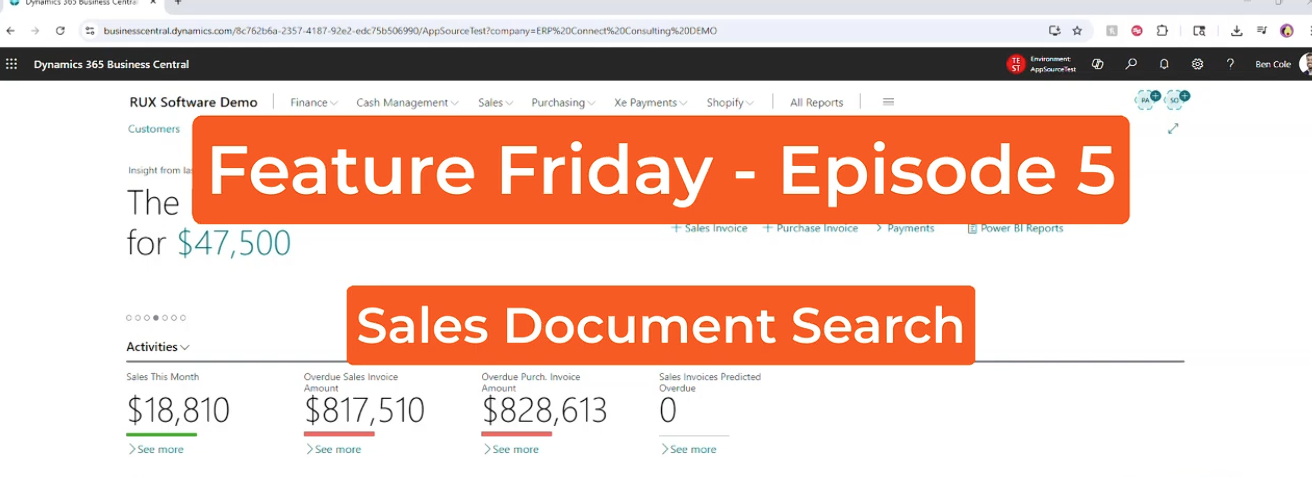
Feature Friday Episode 5: Sales Document Search with RUX History & Statistics
.svg)

Finding Sales Documents Shouldn't Require Searching Multiple Screens
Sales information exists throughout Microsoft Dynamics 365 Business Central. Quotes, orders, invoices, and returns all contain valuable information, but finding the right document often means navigating between multiple pages and manually searching different record types.
When employees need to answer customer questions, investigate order history, or track sales activity, these extra steps can slow down productivity and make it harder to quickly access important information.
Feature Friday Episode 5 demonstrates how RUX History & Statistics simplifies this process with Sales Document Search, allowing users to search across all sales document types from a single location.
The Challenges of Searching Sales Documents
Many organizations process large volumes of sales transactions every day.
When information is spread across quotes, orders, shipments, invoices, and returns, users often need to open multiple pages before locating the document they need.
This can create challenges such as:
Common Challenges
- Searching multiple document types individually
- Spending time navigating between records
- Difficulty locating customer or item activity
- Limited visibility across sales transactions
- Reduced employee productivity
Search Across All Sales Documents from One Screen
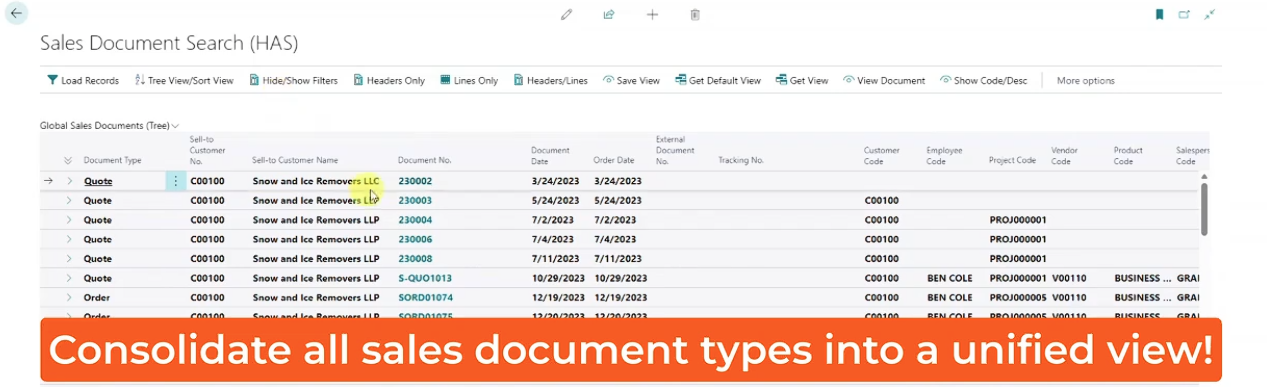
Sales Document Search provides a unified view across all sales document types within Business Central.
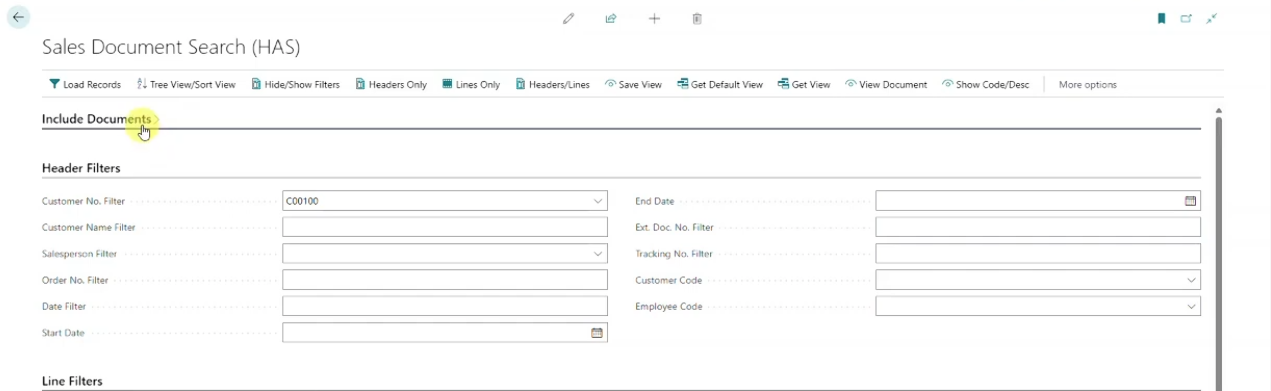
As demonstrated in this episode, users can search for information using criteria such as customer number, item number, and other document details. The system then returns all matching sales records in a single results page.
Instead of checking quotes, orders, and invoices separately, users can quickly find the information they need from one location.
Key Benefits
- Search all sales documents from one screen
- Reduce time spent navigating records
- Improve access to customer information
- Simplify transaction research
- Increase employee productivity
View Header and Line Information Together
Finding a document is only part of the process. Users often need to see the details contained within the transaction.
Sales Document Search allows users to drill into document lines and view additional information beyond the document header.
This provides greater visibility into items, quantities, customers, and transaction activity without requiring multiple searches.
By bringing header and line information together, employees can answer questions faster and gain better insight into sales activity.
Customize Views for Faster Access
Different users often need different information.
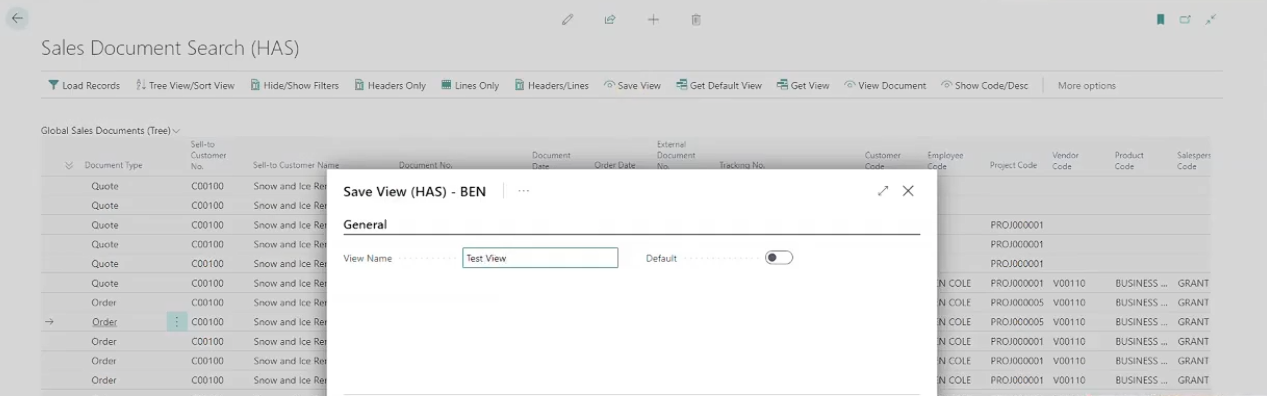
As shown in the demonstration, users can save search layouts and create personalized views that match their daily responsibilities.
Frequently-used searches can be stored and reused, reducing repetitive setup work and allowing employees to access important information more quickly.
Key Benefits
- Save personalized views
- Reduce repetitive search setup
- Improve efficiency
- Support role-specific workflows
- Keep important information readily available
Drill Directly into the Original Document
Once a document is located, users can immediately drill into the original Business Central record.
This eliminates the need to perform additional searches and keeps users connected to the information they need.
Whether researching customer activity, reviewing order history, or investigating transaction details, direct document access helps employees work more efficiently.
Greater Visibility for Growing Organizations
As organizations grow, the volume of sales transactions grows with them.
Employees need fast access to information without wasting time searching through multiple document types and screens.
RUX History & Statistics helps organizations improve document visibility by providing a centralized way to search sales transactions across Microsoft Dynamics 365 Business Central.
By consolidating sales document searches into a single view, businesses can reduce administrative effort, improve responsiveness, and make it easier for employees to find critical information.
Watch Feature Friday Episode 5
Watch the full Feature Friday episode to see how RUX History & Statistics allows users to search across quotes, orders, invoices, and other sales documents from a single location while improving visibility and reducing search time within Business Central.
Ready to improve visibility in Microsoft Dynamics 365 Business Central? Download a FREE 30-day trial of RUX History & Statistics from Microsoft AppSource and discover a faster way to access sales document information.



Ready to take control of your operations?
RUX engineered oil and gas field service software to fit your operation—no patches, no guesswork. Business Applications built and configured for the oilfield service industry, our software solutions give you clarity and control to move forward with confidence.