Feature Friday Episode 23: Advanced Filtering in Commissions Management
.svg)

Managing commissions becomes increasingly difficult when every exception requires a separate commission rule.
As commission programs grow, businesses often need rules that apply to specific groups of salespeople, customers, vendors, or transactions. Without advanced filtering capabilities, commission administrators can end up maintaining a large number of rules simply to accommodate minor exceptions.
Over time, these complex commission matrices become more difficult to manage, increasing maintenance effort and making commission programs harder to scale.
Some of the most common challenges include:
- Maintaining large commission matrices
- Handling customer or salesperson exceptions
- Creating separate rules for one-off scenarios
- Increasing administrative maintenance
- Supporting complex commission structures
In Feature Friday Episode 23, Preston, RUX Lead Consultant, demonstrates how Advanced Filtering in Commissions Management leverages standard Business Central filtering functionality to provide greater control over commission rules.
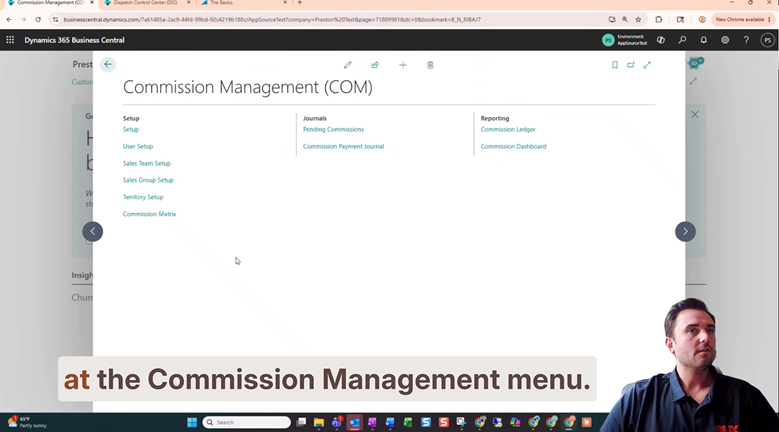
Why advanced filtering matters
Many organizations need commission rules that apply to specific records while excluding others.
For example, a business may want a commission rule to apply to a range of salespeople, exclude a specific customer, or trigger only when one of several approved vendors is involved.
Without advanced filtering capabilities, each of these scenarios could require additional commission rules, creating unnecessary complexity and increasing maintenance requirements.
Advanced filtering helps simplify commission management while improving accuracy and flexibility.
A smarter approach to commission rule management
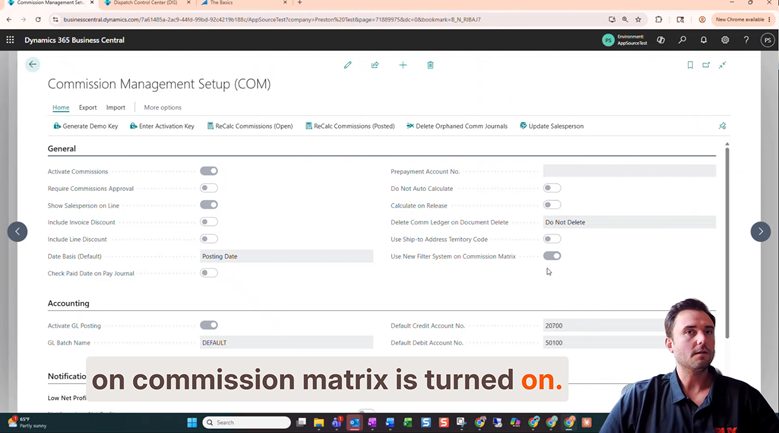
When the Use Filter System on Commission Matrix option is enabled, users gain access to Business Central's standard filtering functionality directly within the commission matrix.
As shown in the Episode 23, this allows commission administrators to create highly targeted commission rules using familiar filtering techniques.
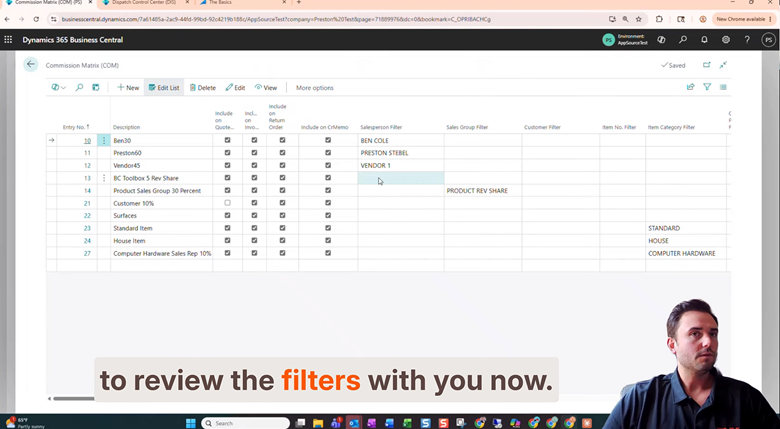
Range Filtering
The ".." operator can be used to define a range of values.
For example, a rule can apply to all salespeople between one value and another without requiring separate entries for each individual salesperson.
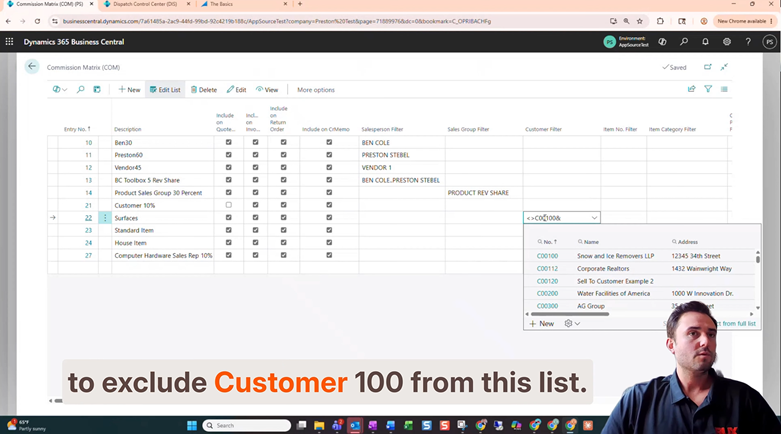
Exclusion Filtering
The "<>" operator allows users to exclude specific records from a commission rule.
This is particularly useful for handling customers or transaction exceptions.
Multiple Exclusions
Users can combine exclusions to prevent multiple records from triggering a commission rule.
Alternative Values
The "|" operator allows commission rules to apply when one value or another is present.
This provides additional flexibility without increasing the number of commission rules.
Built for real-world commission administration
Real-world commission programs often contain exceptions. Sales teams change, customer relationships evolve, and organizations frequently encounter unique scenarios that don't fit neatly into standard commission structures.
Advanced filtering allows administrators to address these situations while keeping commission matrices clean, organized, and easier to maintain.
Organizations can:
- Reduce the number of commission rules required
- Support complex commission scenarios
- Handle exceptions without creating additional rules
- Improve commission administration efficiency
- Increase flexibility as commission plans evolve
By leveraging the same filtering concepts Business Central users already know, Advanced Filtering helps organizations build more powerful commission rules while simplifying ongoing maintenance.
Watch the full Feature Friday episode.
In Episode 23, Preston also walks through:
- Configuring Commissions Management setup
- Enabling advanced filtering
- Range filtering using ".."
- Exclusion filtering using "<>"
- Multiple exclusion scenarios
- Using the "|" operator for alternative values
- Applying filtering logic throughout the Commission Matrix
If your commission matrix continues to grow as new exceptions and scenarios are introduced, this episode demonstrates how advanced filtering can help simplify administration while improving flexibility.
If this sounds helpful, explore more Business Central productivity tips on the RUX Software YouTube Channel and subscribe so you never miss a Feature Friday episode.



Ready to take control of your operations?
RUX engineered oil and gas field service software to fit your operation—no patches, no guesswork. Business Applications built and configured for the oilfield service industry, our software solutions give you clarity and control to move forward with confidence.